Zephyr
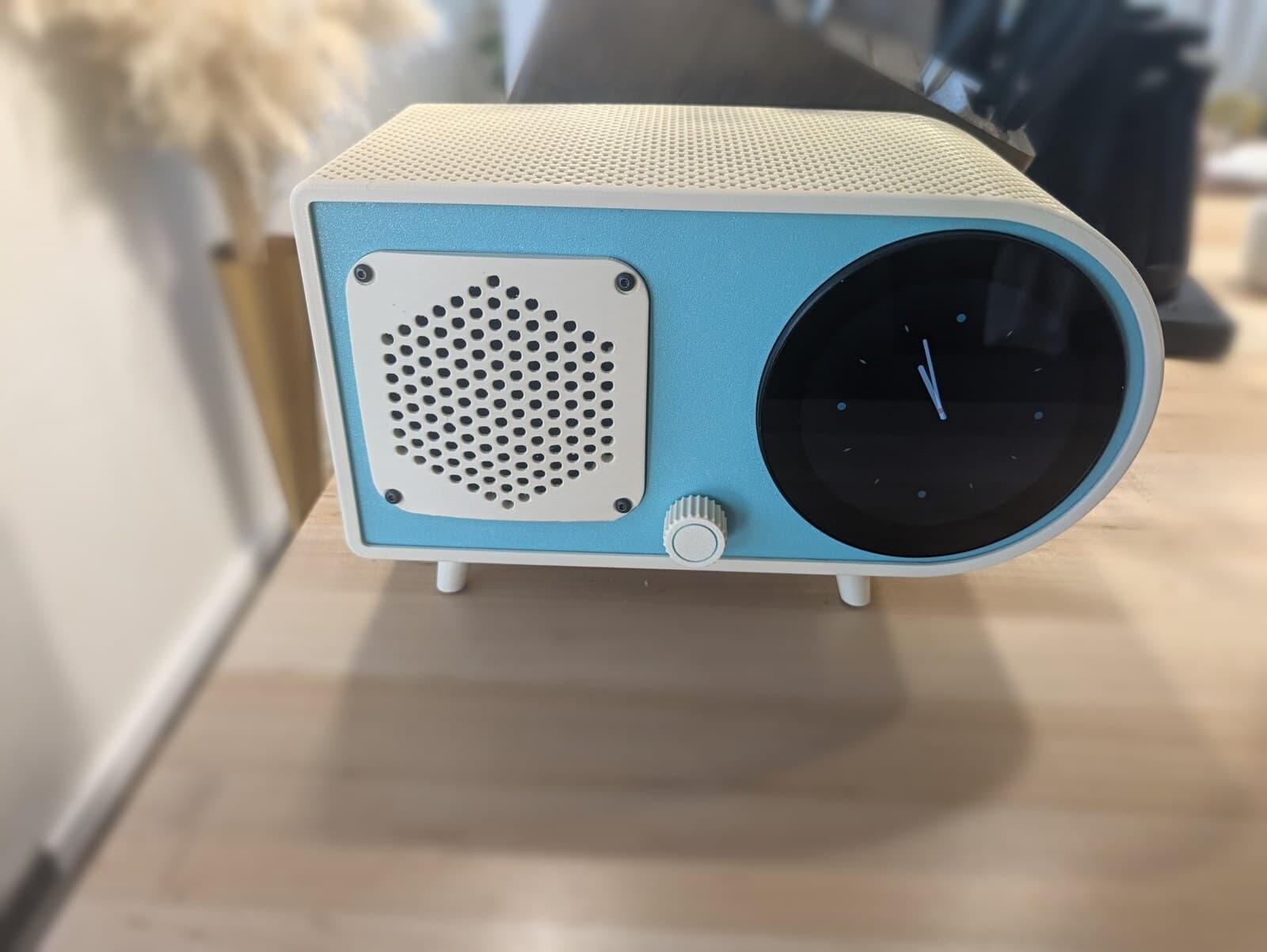
Open sourceA smart radio for the kitchen in the shape of a 1940s bullet radio. It has a round touch screen, one knob and a real music speaker. You talk to it and Claude answers. It plays Spotify, internet radio, Audible and whatever's on your phone.
Why It Exists
I wanted a radio. A real one, the kind that sits in the living room or the kitchen and is the centerpiece of the room. It should look like a room radio and act like one, which means a speaker that actually sounds good. That's why there's a Dayton driver in its own sealed box.
I also wanted the smart conveniences: internet radio, a calendar, and a direct line into Home Assistant, so the thing in the middle of the room can run the house too.
The round screen sealed it. It's a great form factor, and with a tactile detent knob underneath it the whole thing feels like a radio instead of a tablet stuck to a box. My house is mostly mid-century modern and similar styles, so a 1940s bullet radio was the obvious shape.
What It Is
The case takes its look from a Fada bullet radio: the rounded end, the ivory body, the coloured face. It's a reference, not a replica. The front holds a round 3.4" 800×800 touch screen, a grille over a 3" Dayton full-range driver, and a single knob for volume, play/pause and push-to-talk.
The screen shows a clock by default, with a ring of apps around the edge: Spotify, radio, Audible, weather. The radio shows up in Home Assistant as a media player, so the rest of the house can play to it too.
Two Computers in One Box
Zephyr is really two devices sharing a case.
How a Question Flows
The wake word fires on the XIAO. Home Assistant runs the pipeline: Whisper turns speech into text, and a custom conversation agent hands it to one long-running Claude Code session. That session has Home Assistant's tools, so it can answer a question, dim the kitchen or add something to the shopping list. Piper reads the reply out of the voice speaker.
Claude is told it's a speaker, not a chat window. One to three short sentences, answer first, no lists, no follow-up questions it can't hear you interrupt. If you say “dim the kitchen to thirdy,” it reads through the mishearing.
While the voice half is listening or talking, the radio ducks the music.
The mic array cancels the echo of its own speaker, not the music speaker's. So while Zephyr plays anything, the wake word switches off. The knob still works as push-to-talk.
The Case
The whole case is one build123d script. Board and screen dimensions come from the vendors' own 3D models, and the script writes STEP plus print-ready STLs. Every part prints without supports on a 280 mm bed.
The ivory wrap is the top, ends and bottom in a single print. The walls overlap where they meet, so it reads as a material wrapped around the radio rather than a box. The weave is meant to evoke rattan, which suits a mid-century room, and it's modelled into the part, not a slicer fuzzy-skin trick.
Credit where it's due: the design, the single-print wrap and the overlapping walls were mine, and so was the idea of a woven texture. The weave itself, the actual pattern, Claude designed in the CAD. It came out better than I'd pictured.
It's also doing a job. The reSpeaker sits right under the top, and the open weave gives its mics and LEDs real ports without a single hole that looks like one. The radio hears through it, and when it's listening the light glows through the pattern. From across the room it's just texture.
The music driver gets its own sealed printed box with a foam gasket.
Power is one USB-C cable. A PD trigger board inside asks the charger for 15 V, and a dual buck splits it into two separate 5 V feeds, one per computer.
What Fought Back
Spotify. go-librespot, the usual way to make a Pi a Spotify speaker, was a dead end: Spotify refused it audio keys. The radio now plays Spotify through the official Web Playback SDK inside the kiosk browser, which meant getting Widevine running on an ARM board.
Audible. Audiobooks play in Audible's own web player. The radio drives it from the inside, through the browser's debugging port, and puts a remote for it on the round screen.
The screen. The round DSI panel needed its own device-tree overlay to come up on the Orange Pi. The gallery has the colour bars and the first frame from that bring-up. The touch controller's ribbon has no interrupt line, so touch is polled and fed in as a virtual input device.
Build Your Own
Everything is on GitHub under MIT: the case script, the radio service and UI, the device-tree overlays, the ESPHome config for the voice half, the Home Assistant component and a full bill of materials. It's one person's build, published as is. The Claude side runs through my own setup, and the scripts carry my defaults. Expect to adapt it rather than install it.