Roam
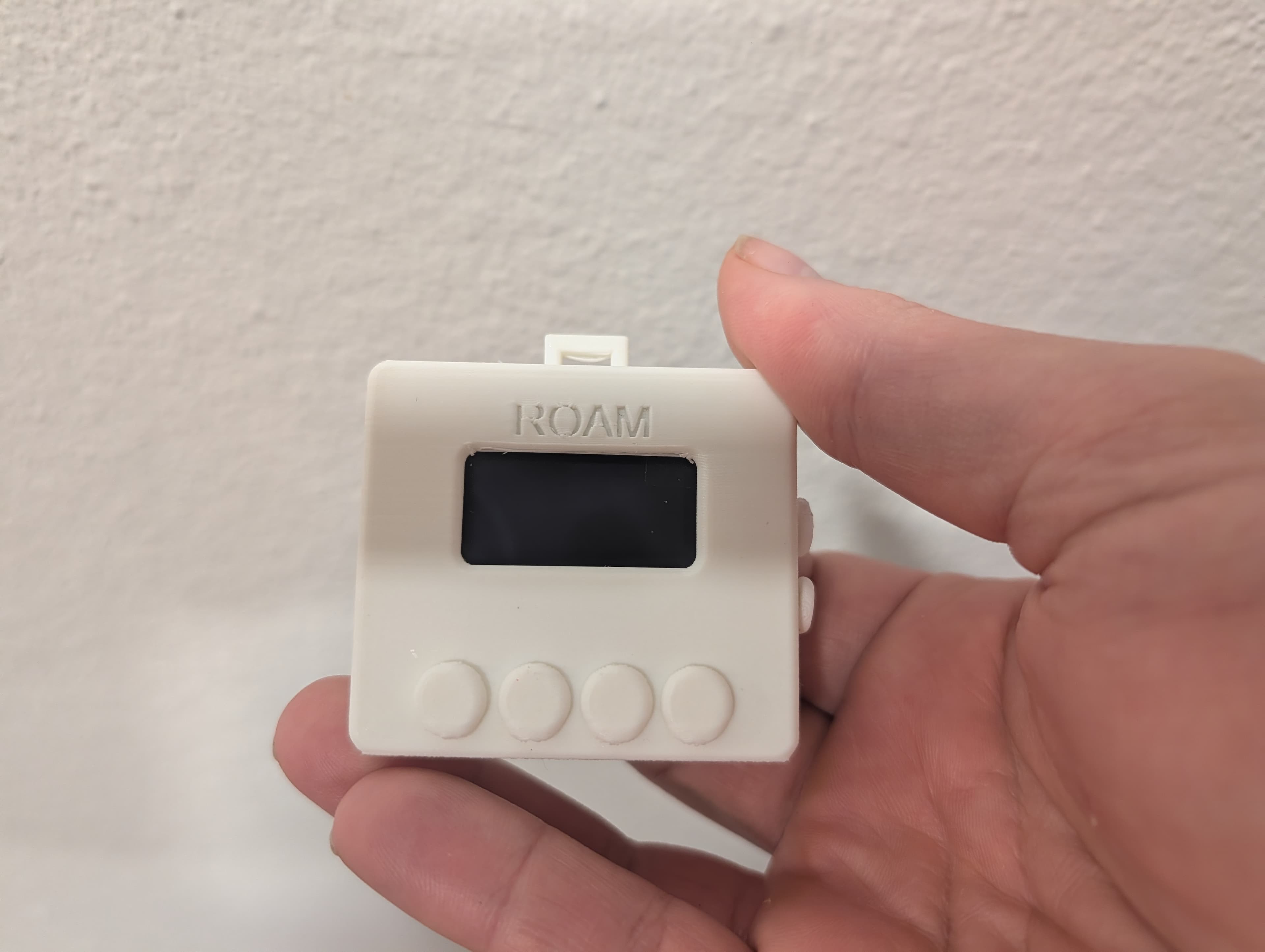
A wrist-mounted BLE HID controller for hands-free AI interaction. Strap it on, pair over Bluetooth, and control your AI coding tools without touching the keyboard.
Why It Exists
When I started working with AI coding agents, something shifted. The bottleneck wasn't thinking anymore — it was typing. Not because I type slowly, but because the nature of the work changed.
Writing code by hand has a natural speed limit: your ability to process logical steps, break them apart, hold the architecture in your head. You're never just freeform typing — you're thinking between keystrokes. Typing speed doesn't really matter because your brain is the bottleneck, not your fingers.
But when an AI agent writes the code and you're directing it? Now you're describing intent, giving context, explaining what you want in natural language. That's closer to talking than coding. And suddenly, typing out detailed instructions at 80 WPM felt painfully slow compared to just saying what I needed at 150+ words per minute.
So I started using voice dictation. Which worked — except now I needed to constantly reach for the keyboard to approve actions, switch tmux panes, toggle dictation on and off, kill runaway processes. Every keyboard touch broke the flow.
Then a chain of realizations hit, each one following logically from the last:
If I don't need to type code, I don't need multiple monitors. I used to have reference docs on one screen, a code window on another, a chat window on a third. But when you're managing AI agent teams instead of writing code yourself, all that screen real estate becomes unnecessary.
And if I don't need multiple monitors... do I need any monitors? If I don't need any monitors, do I need to sit at my desk? And if I don't need to sit at my desk, that means I could be up and about — not chained to a computer for 8 hours a day. I could be doing other things while still getting work done in a productive fashion.
That's where Roam comes in. Four buttons on my wrist handle the mechanical stuff — approve, reject, navigate, dictate — while my voice handles the creative direction. A small OLED shows me what the agent is doing so I don't have to look at a monitor. Messages from my AI agent push to my wrist. I dictate responses through my phone. The full loop — voice in, status on wrist, work getting done in the background — without a desk, without a keyboard, without a screen.
It's not a general-purpose input device. It's the hardware answer to a simple question: if AI does the typing, what do you actually need?
What It Does
Roam is a 4-button (+2 scroll) Bluetooth Low Energy HID controller that straps to your forearm. Each button supports short press, long press, and double tap — giving you 12+ actions without touching your keyboard. Here's what I actually use it for every day:
Every button press gets haptic feedback — a short buzz so you know the action registered without looking. Incoming messages get a double-pulse so you can tell the difference by feel.